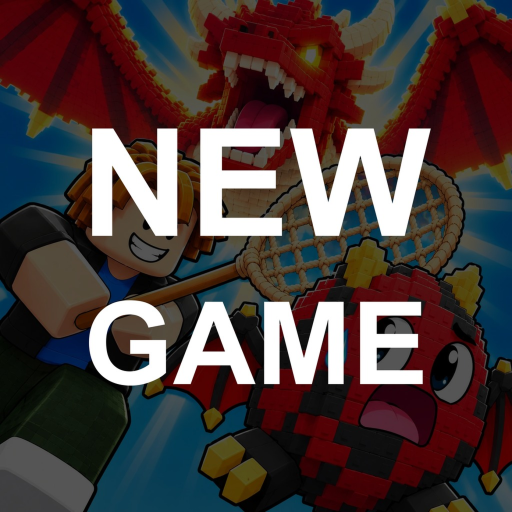
Catch an Egg Community: Find DevX Studio Official
Quick answer
- Start on Roblox: Use the experience at Place ID 139851202299573 and its linked DevX Studio Official community, group 944536711.
- Follow a direct connection: A familiar game or studio name alone is not enough to identify an external community. Begin with the links on the correct experience page.
Open the correct game before following a community
Several Roblox experiences can have similar egg-catching names. For this wiki, the game is Catch an Egg by DevX Studio Official. Start there when you want to play, review the creator's links or compare an announcement with the game you have been enjoying.
The exact experience matters more than a search result with a familiar title. Before following advice about codes, pets or events, make sure the advice points back to the same game. This small habit helps prevent a guide for a different egg game from becoming an unexplained problem in your own session.
Use the linked creator community
The experience links to DevX Studio Official on Roblox. That direct creator connection makes it the useful first destination for community information. If the creator adds or changes external channels later, follow those links from the correct Roblox page rather than guessing an invite from a matching name.
You can like and favorite the experience as the developer suggests for updates. Treat those as ways to keep track of the game, without expecting an unstated pet or cash reward. A community visit should help you find announcements and discussion, not require handing account details to another player.
Make a question easy for other players to answer
When asking for help, describe the part of the loop you are in: chasing, completing a catch, hatching, comparing a pet or understanding cash. Include what you expected and what actually happened. That gives another player a concrete question instead of asking them to diagnose an entire account from one sentence.
A screenshot can help when it shows the relevant game screen without private information. Add the date if the question concerns an event or changing shop value. Never include a password, recovery code or Roblox session cookie. Ordinary gameplay advice does not require those details, and this wiki does not ask for them.
Keep announcements separate from player opinions
A player's favorite pet or preferred routine is a recommendation. An official event listing supplies a schedule and advertised activity. Both can be useful, but they answer different questions. Use the creator's announcement when planning around a date, and player discussion when considering an approach you might enjoy.
For example, the official Halloween Ghost Night listing identifies the upcoming October 24–27, 2026 event and the Witch Egg activity. Continue to the update guide for that plan. For ordinary play, use the session tips. Keep a community discussion helpful by explaining your own goal rather than assuming every player wants the same pet or spends the same amount of time.
FAQ
Where should I start looking for official links?
Start on the exact experience page and its linked DevX Studio Official Roblox community. Follow external links only when the creator connects them there.
Can this wiki restore a pet or handle an account problem?
This is an independent fan resource. Use Roblox support for account matters and the creator’s own channels for game-specific support.